Magento security in 2026: PolyShell, missed patches and how to check your store
‘We updated Magento’ is a useful start. In 2026, you also need to know which isolated patches and component fixes actually reached production.

“We are on a recent Magento version” used to sound like a reasonably useful answer to a security question.
In 2026 it needs a follow-up: which security baseline, which monthly isolated patches, which installed components and which urgent hotfixes?
That is not pedantry. A version label and the code deployed on your production servers can tell different stories. This guide was checked on 2 November 2026; use the linked live bulletins when acting later.
What PolyShell changed in the conversation
Sansec disclosed PolyShell, CVE-2026-483561, in March 2026. Its research describes unauthenticated file upload through Magento's REST API, with the consequences affected by server configuration. Sansec's May update records a fix in Magento 2.4.9.
The useful lesson is not “all stores with this name are compromised” or “one directory rule fixes everything”. Check the exact code, relevant fixes, upload handling and server exposure in your own installation. Historic articles about patch availability can become stale; do not turn a March headline into a November patch-status report.
Avoid testing production by uploading a payload from an exploit article. An authorised review can establish the relevant code and configuration without leaving a new suspicious file on the live server.
Monthly isolated patches need their own record
Adobe's monthly isolated security patching policy2 explains the current model: supported baseline releases receive narrowly scoped security files between full patch releases. The isolated files are not cumulative; missed files must be applied in order, on the required baseline. A later full security patch release incorporates earlier fixes.
The practical implication is simple: a recent Composer version is not sufficient evidence that every subsequent isolated fix is present. Check the applicable components too, including Commerce, B2B and other separately patched components where installed. Cloud deployment has its own patch pipeline; follow the instructions for your environment.
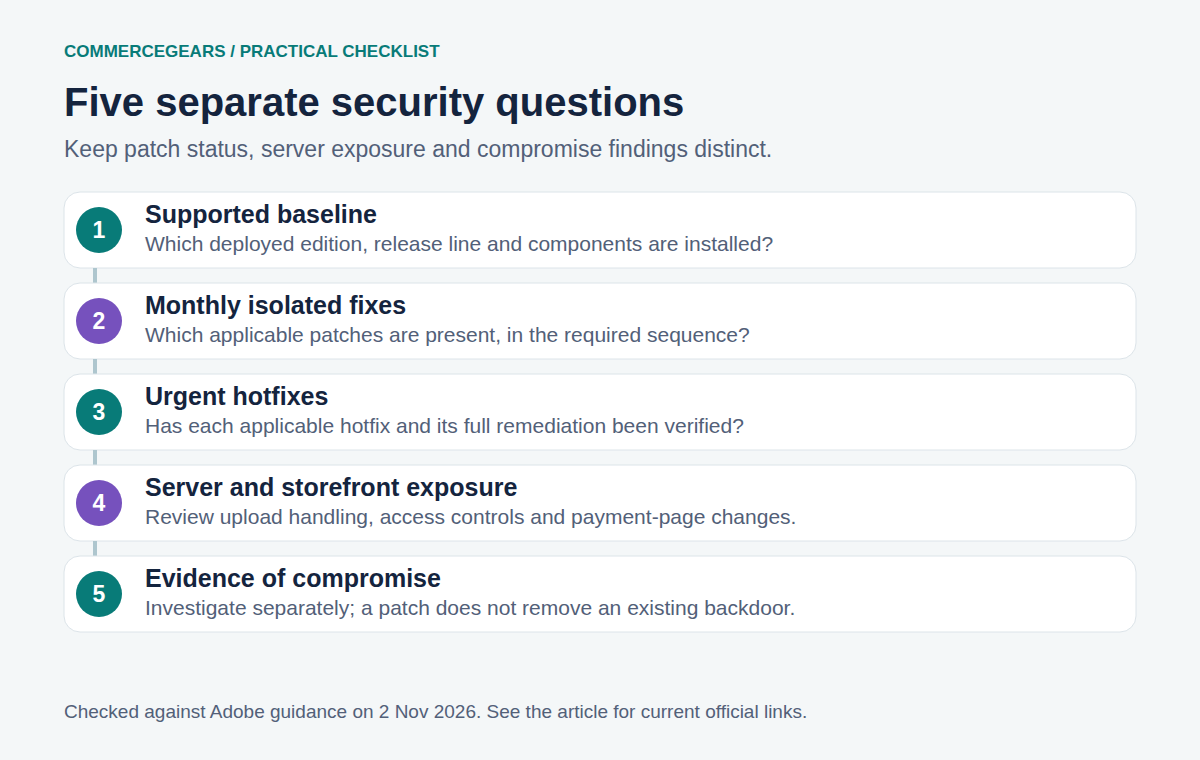
The October bulletin is not the only thing to check
APSB26-153, published 13 October 20263, addresses critical, high and medium vulnerabilities. Its solution section also explicitly calls for the September CVE-2026-75650 hotfix in addition to that month's security update.
Adobe's September hotfix instructions4 report exploitation in the wild and include credential-rotation requirements. Have the responsible engineer follow the complete applicable remediation process; applying a code patch does not invalidate secrets an attacker may already have obtained.
There is also a specific October 2.4.8-p5 wrinkle. Adobe revised the Community Edition patch while retaining its filename. Its 16 October clarification5 explains why some Commerce Version Tool results can show UNKNOWN and how to replace the original patch through an established patch-management process. Do not interpret that status in isolation as proof of either safety or compromise.
Ask your developer or hosting team for a short report containing:
- The deployed edition, version, runtime and installed Commerce components.
- The applicable security baseline and monthly patch sequence.
- Status of urgent hotfixes, including the September fix where applicable.
- The verification output and the production deployment reference.
- Separate findings from exposure and compromise checks.
Where the Commerce Version Tool is available, Adobe documents these read-only checks:
php vendor/bin/patch-status --version
php vendor/bin/patch-status
Run them from the project root and interpret the report against current official guidance. A missing command is not a clean bill of health. The tool was introduced through the July isolated patch; installation and availability depend on your release line and applied updates.
Do not install a random patch file merely because its filename contains your Magento version. Use the official package for the right component, review prerequisites, test in staging and retain a deployment record. Adobe provides environment-specific isolated patch instructions6.
Patched and uncompromised are separate conclusions
A patch can close an entry point without removing an existing backdoor. If there are signs of compromise, preserve relevant logs and evidence, involve the appropriate incident-response expertise and follow the credential and recovery plan. Do not reduce that investigation to deleting the first odd-looking file.
A useful review also considers unknown admin accounts, changed integrations, unexpected scheduled jobs, modified files, injected storefront content and payment-page scripts. Automated external scans, dependency audits and file-integrity checks cover different surfaces. None proves that every stored record and credential is trustworthy.
Document limitations in the report. “No issue found in these checks” is an honest result. “100% secure” is a marketing sentence looking for trouble.
| Evidence | What it does not establish |
|---|---|
| Composer version | Presence of every later isolated patch |
| Patch-status report | Absence of an existing compromise |
| External scan | Integrity of all stored data and credentials |
What our admin tools can contribute
Admin Activity Log records supported admin changes and login activity. Cron Manager helps make failed or unexpected scheduled work visible. SMTP provides email diagnostics so operational alerts have a delivery trail.
These are supporting operational tools, not malware scanners or substitutes for platform security patches. A missed cron job and an intrusion are not interchangeable diagnoses. Our cron troubleshooting guide can help with the former; your security response needs its own evidence.
Assign someone to review each new bulletin, record applicability and verify the deployed result. Security work becomes much easier to manage when the answer is a dated record rather than a reassuring recollection.
Sources
- PolyShell, CVE-2026-48356, checked 2 November 2026. ↩
- monthly isolated security patching policy, checked 2 November 2026. ↩
- APSB26-153, published 13 October 2026, checked 2 November 2026. ↩
- September hotfix instructions, checked 2 November 2026. ↩
- 16 October clarification, checked 2 November 2026. ↩
- environment-specific isolated patch instructions, checked 2 November 2026. ↩
From our shop
Related Products
-
Admin Activity Log
See who changed what in the Magento admin, with old and new values, plus every admin sign-in, the active sessions and alerts for suspicious sign-ins.
- Magento 2.4.6 – 2.4.9
- Hyvä
- Luma
- Version v2.0.3
Free
-
Cron Manager
See, run and control every Magento cron job from the admin, and get warned when cron stops or a job keeps failing.
- Magento 2.4.6 – 2.4.9
- Hyvä
- Luma
- Version v2.0.3
Free
-
SMTP
Send every Magento email through Google Workspace, Microsoft 365, Amazon SES or any SMTP service, with OAuth 2.0, an email log, automatic retries and plain-language diagnostics.
- Magento 2.4.6 – 2.4.9
- Hyvä
- Luma
- Version v1.0.1
Free