KSeF for Magento 2: Poland's mandatory e-invoicing in 2026
Since April 2026 almost every Polish VAT payer issues invoices through KSeF, and the grace periods end with 2026. What the rules mean for a Magento store, from the issue date to the QR code on the PDF, and how to connect Magento to KSeF.
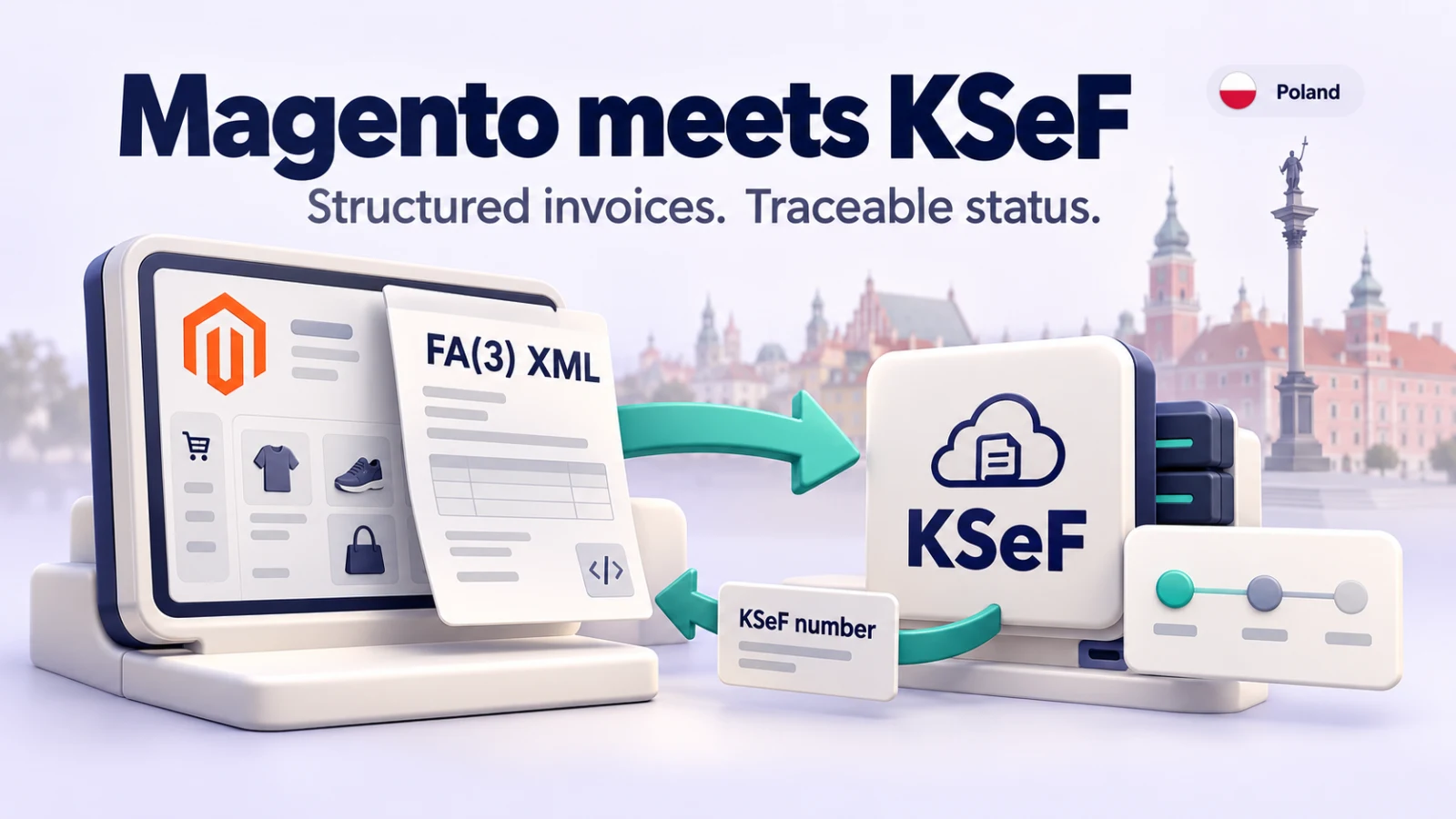
The message comes from a customer's accountant in Wrocław: "Thank you for the PDF. Could you send us the KSeF number? We cannot find the invoice in KSeF." Your Magento store did what it has always done: it created an invoice, numbered it FV/2026/10/0153 and e-mailed a PDF. In Poland in 2026 that is no longer an invoice in the legal sense. A structured invoice exists only once the Ministry of Finance's system has accepted the file and given it a KSeF number, and your customer's bookkeeping now starts from that number.
This post is for Magento 2 and Adobe Commerce merchants who invoice in Poland, or who were asked about "KSeF integracja Magento" and want to know what is involved. It covers the official dates, what KSeF checks, the issue date trap, offline modes, QR codes and authentication, and how a Magento store can send invoices to KSeF without someone retyping them. It is written by the team behind the E-Invoicing: Poland (KSeF) module described below, and it is not tax advice. Your księgowa or doradca podatkowy decides how the rules apply to you.
What KSeF is, in one paragraph
KSeF (Krajowy System e-Faktur) is the Ministry of Finance (MF) system for issuing, sending, receiving and storing structured invoices. An e-invoice is an XML file that follows the official schema, is sent to KSeF and receives a unique KSeF number. The buyer, if it has a NIP, finds it in KSeF, where it is archived for ten years1. KSeF is not a reporting system that receives copies after the fact. The MF puts it plainly: a document prepared in your system becomes an invoice only once it has a KSeF number, apart from the offline exceptions2. The current schema is FA(3), introduced with KSeF 2.0 and its API2.
The dates
| Date | Who | What |
|---|---|---|
| 1 February 2026 | Businesses with 2024 sales above PLN 200 million (including VAT) | Must issue invoices in KSeF; KSeF 2.0 replaces KSeF 1.034 |
| 1 February 2026 | All businesses | Invoices are received through KSeF1 |
| 1 April 2026 | All other businesses | Must issue invoices in KSeF3 |
| Until 31 December 2026 | Taxpayers whose invoices total at most PLN 10,000 gross in a month | May still issue invoices outside KSeF, until the invoice that crosses the limit31 |
| Until 31 December 2026 | Cash register invoices, receipts with NIP up to PLN 450 | Outside KSeF1 |
| 1 January 2027 | The small businesses above | KSeF mandatory for them too4 |
| 1 January 2027 | Everyone | Penalties for KSeF errors apply (deferred until this date)2 |
| 1 January 2027 | Payers of invoices | KSeF number in the bank transfer title (Article 108g of the VAT Act)2 |
Two points in that table are easy to misread. The PLN 10,000 relief counts only invoices that would have to go through KSeF, so consumer invoices and cash register invoices do not count towards it, and once a month's total crosses the limit, that invoice and every later one goes through KSeF, even if the next month is quieter1. And the penalty deferral is not a deferral of the obligation. The obligation has applied since February or April; what waits until 2027 is the penalty for getting it wrong2.
What KSeF checks, and what it does not
Before it assigns a number, KSeF checks two things: that the XML matches the current schema, and that whoever sends it has the right permissions2. A file with errors is rejected and the invoice is not issued; you correct it and send it again. KSeF does not check whether your VAT rate is right for the product, whether the buyer's name is spelled correctly, or whether you meant to sell 10 or 100 units. That part is still yours.
The buyer does not have to accept anything. An invoice counts as received when KSeF assigns its number, and KSeF does not notify the buyer; their software has to look2. Once accepted, an invoice cannot be edited. A mistake is fixed with a correction invoice2. In Magento terms: a credit memo, not an edited invoice.
The issue date catch
This is the detail most likely to bite a Magento store. An invoice sent in online mode is issued on the date it is sent to KSeF, provided that date matches the issue date in field P_1. It must be sent on the same day. If it reaches KSeF the next day, the MF treats it as an offline24 invoice2. If you send on 1 February and the number only arrives on 2 February, the issue date is still 1 February, the day the file was registered at the gateway2.
A Magento invoice created at 23:50 and queued for a cron job that runs after midnight is exactly this case. Either the issue date in the XML moves to the sending day, or the invoice becomes an offline24 invoice with its own rules. Whichever tool you use, ask how it handles this.
Offline modes and the two QR codes
KSeF has an online mode and three offline procedures3:
- offline24: you issue the invoice without a connection and send it to KSeF no later than the next working day. Any taxpayer may use it, for example during internet problems.
- offline (KSeF unavailable): during maintenance announced by the MF, invoices are issued offline and sent no later than the next working day after the unavailability ends.
- awaryjny (failure): when the MF announces a KSeF failure, you have seven working days after it ends.
Offline invoices keep the issue date in P_12. They also need a second QR code, which brings us to the visual side.
Whenever an invoice is handed over outside KSeF, as a PDF to a consumer, a foreign buyer or anyone else, the visualisation must carry a QR code2. An online invoice has one code, with the KSeF number printed under it; scanning it lets the holder check the invoice in KSeF. An offline invoice not yet sent has two: one labelled OFFLINE for access and verification, and one labelled CERTYFIKAT that proves the issuer's identity2. The second code is signed with a KSeF certificate of type 2, which you have to request in advance2. If your plan for outages is "we'll sort it out when it happens", the certificate is the bit that cannot be sorted out on the day.
Authentication: tokens and certificates
Software connects to KSeF with a qualified signature, a qualified seal, a token or a KSeF certificate2. For a shop that sends invoices automatically, a token or a certificate is the realistic choice. Tokens from KSeF 1.0 do not work in KSeF 2.02. There was talk of tokens ending with 2026; the MF has since decided to keep them without a time limit2. KSeF certificates are valid for at most two years, so put the renewal in a calendar2.
Consumers and foreign buyers
Invoices to consumers are voluntary in KSeF, before and after February 20262. A Magento store selling mostly to private customers can keep issuing those invoices outside KSeF if it wants, while business invoices go through KSeF. A consumer has no access to KSeF anyway, so if you do send B2C invoices through KSeF, the customer still needs a PDF with the QR code.
Foreign business buyers are in the same position: the invoice is issued in KSeF, but a buyer without a Polish NIP cannot log in to fetch it, so you send it in the agreed way, for example as a PDF with the QR code2.
Connecting Magento to KSeF
Magento has no KSeF connection, no NIP check digit validation and no FA(3) export. The MF offers free tools, the Aplikacja Podatnika KSeF and a mobile app1, and for a store with a few business invoices a month, typing them into the taxpayer application is a legitimate route. It does mean every invoice exists twice, once in Magento and once in KSeF, and that someone has to copy the KSeF number back.
The alternative is to let Magento send its own invoices. This is how our E-Invoicing: Poland (KSeF) module does it, for Magento 2.4.7 to 2.4.9, according to its product page and user guide56.
- Install
commercegears/module-e-invoicing-plwith Composer. It brings the free E-Invoicing Core module. Magento's cron must run every five minutes. - Enter the seller details under Stores > Configuration > CommerceGears > E-Invoicing: your legal name, address, country Poland and your NIP (as a PL VAT ID or as the tax number), plus IBAN for bank transfers.
- Connect to KSeF under E-Invoicing: Poland (KSeF). Start with the TEST environment, which accepts self-signed certificates and invented NIPs and has no legal effect. A command,
bin/magento commercegears:einvoice:ksef-test-setup --save, creates a test certificate and token for you. Then DEMO with your real NIP, then Production with a token or a KSeF or qualified certificate. Click Test Connection. - Decide who gets KSeF invoices. The suggested rule sends invoices for business buyers in every country. Add a rule with "All buyers" if you want consumer invoices in KSeF too.
- Check the checkout. Business buyers tick "This is a business purchase (electronic invoice)"; for a Polish billing address the field is labelled NIP. A wrong check digit stops the order, and a valid NIP shows the company name, address and VAT status from the MF white list (the MF allows 100 searches a day; the store stops at 90).
- Invoice as usual. Cron builds the FA(3) document, checks it against the official schema and rules such as Polish VAT rates and exemption basis, and sends it in an encrypted online session. The issue date P_1 is the day of sending; a document that waited is rebuilt with the new date just before upload. That handles the midnight case above.
- Watch the results. Accepted invoices get their KSeF number and UPO (as PDF and XML); the customer receives an invoice PDF with the QR code by e-mail and in My Account. Rejected invoices raise an admin alert and appear in a daily e-mail.
Credit memos become correction invoices (KOR) that refer to the original's KSeF number; a correction waits until KSeF has accepted the original. Foreign-currency invoices use the NBP table A rate of the last working day before the tax point, with VAT in PLN. Orders above PLN 15,000 gross with products flagged as Annex 15 goods get the split payment marking. If you issued an invoice by hand in the taxpayer application, you can enter its KSeF number in Magento so the module never sends it and a later correction refers to it.
For outages, the module reads the MF status page and holds invoices during announced maintenance or failures. With a type 2 (Offline) certificate it can issue offline invoices with both QR codes; by default only during outages announced by the MF, with offline24 as an option. Alerts fire on the last day of the sending deadline.
What we tested: our demo store sent invoice FV/2026/10/255991 to the MF KSeF TEST environment on 18 October 2026 and got back KSeF number 9991234576-20261018-833C61C00000-DA and a UPO. Invoices, corrections and offline invoices were accepted in TEST. TEST has no legal effect and the NIP was a test NIP, so treat it as proof the integration works, not as a production track record. Test your own data in TEST or DEMO first.
What it does not do: receive purchase invoices from KSeF, batch sessions, advance invoices (ZAL, ROZ), or the technical correction of an offline invoice that KSeF rejected. For receiving and bookkeeping, an accounting application with KSeF access is the better tool. Invoice data goes only to the MF's KSeF API (plus the NBP rate API and the MF white list, with the currency or the NIP only), never to us.
Checklist
- Confirm with your accountant which date applies to you and whether the PLN 10,000 relief still covers you in 2026.
- Make sure your business can receive invoices in KSeF; that has applied to everyone since 1 February 2026.
- Generate a KSeF 2.0 token or certificate for your NIP. Old KSeF 1.0 tokens do not work.
- Request a type 2 (Offline) certificate before you need it.
- Ask business buyers for their NIP at checkout and validate the check digit.
- Decide whether consumer invoices go through KSeF (voluntary) or stay outside it.
- Check how late-evening invoices are dated, so online invoices do not turn into offline24 by accident.
- Put the QR code and KSeF number on every PDF you hand out, two codes for unsent offline invoices.
- Handle refunds as correction invoices referring to the KSeF number of the original.
- Test in KSeF TEST and DEMO before switching to Production, and plan for KSeF numbers in transfer titles from 2027.
Frequently asked questions
Is KSeF mandatory for online shops selling to consumers?
Issuing invoices to consumers through KSeF is voluntary2. Invoices to businesses, including foreign businesses, are issued in KSeF under the general dates.
When are KSeF penalties applied?
The MF says penalties for KSeF errors were deferred to 1 January 20272. The obligation to issue in KSeF applies from 1 February or 1 April 2026.
Do I have to send the KSeF number to my customer?
No. The invoice appears in the buyer's KSeF automatically2. From 1 January 2027 the KSeF number is needed in the bank transfer title when the invoice is paid2, so many buyers will ask for it anyway, and a PDF with the QR code and the number answers the question before it is asked.
Can I still use KSeF tokens after 2026?
Yes. The MF decided to keep tokens as an authentication method without a time limit2. Tokens generated in KSeF 1.0 are not valid in KSeF 2.0.
What happens if KSeF is down?
During MF-announced unavailability you can issue offline and send no later than the next working day after it ends; after an announced failure you have seven working days2. Invoices handed over before sending need both QR codes.
Can I correct an invoice in KSeF?
No. An accepted invoice cannot be changed; you issue a correction invoice2.
Selling to Germany or Belgium as well? See XRechnung and ZUGFeRD in Magento 2 and Peppol e-invoicing for Magento. For asking only business customers for a tax number, see asking business customers for a VAT number. The E-Invoicing: Poland (KSeF) page has the sample FA(3), PDF and UPO files, and the user guide covers each setting.
Sources
- Ministerstwo Finansów, "Poniżej 10 000 zł - najczęściej zadawane pytania", questions 2 to 5, 7 and 9 to 13, https://ksef.podatki.gov.pl/ponizej-10-000-zl/, checked 22 October 2026. ↩1 ↩2 ↩3 ↩4 ↩5 ↩6
- Ministerstwo Finansów, "Pytania i odpowiedzi KSeF 2.0" (modified 8 October 2026): sections on general questions (question 23 on penalties), issuing and receiving invoices (questions 5, 9 to 18, 34, 36, 41, 43), authentication and tokens (questions 29, 35, 39), KSeF certificates (questions 1 to 3), offline modes and QR codes (questions 1, 6 to 8), https://ksef.podatki.gov.pl/pytania-i-odpowiedzi-ksef-20/, checked 22 October 2026. ↩1 ↩2 ↩3 ↩4 ↩5 ↩6 ↩7 ↩8 ↩9 ↩10 ↩11 ↩12 ↩13 ↩14 ↩15 ↩16 ↩17 ↩18 ↩19 ↩20 ↩21 ↩22 ↩23 ↩24 ↩25 ↩26 ↩27
- Ministerstwo Finansów, "Od kiedy trzeba wystawiać faktury w KSeF?" (modified 30 April 2026), https://ksef.podatki.gov.pl/od-kiedy-trzeba-wystawiac-faktury-w-ksef/, checked 22 October 2026. ↩1 ↩2 ↩3 ↩4
- Ministerstwo Finansów, "Etapy wdrożenia KSeF 2.0" (modified 29 May 2026), https://ksef.podatki.gov.pl/etapy-wdrozenia-ksef/, checked 22 October 2026. ↩1 ↩2
- CommerceGears, "E-invoicing: Poland (KSeF)" product page, version 2.2.2, https://commercegears.com/magento-2-extensions/e-invoicing-poland-ksef/, checked 22 October 2026. ↩
- CommerceGears, E-Invoicing: Poland (KSeF) user guide, sections 3 to 10 and 16, https://commercegears.com/user-guides/magento-2-extensions/e-invoicing-poland-ksef/, checked 22 October 2026. ↩
From our shop
Related Products
-
E-invoicing: Poland (KSeF)
KSeF 2.0 for Magento 2: FA(3) invoices and correction invoices from your Magento invoices and credit memos, checked against the official schema, sent to KSeF automatically, with the KSeF number, the UPO and an invoice PDF with the KSeF QR code for your customer.
- Magento 2.4.7 – 2.4.9
- Hyvä
- Luma
- Version v2.2.3
$199
-
Customer Attributes
Add your own fields to Magento customer accounts and addresses, such as a company type, VAT number or address type, with rules per store and customer group, conditional fields and values on every order.
- Magento 2.4.7 – 2.4.9
- Hyvä
- Luma
- Version v1.2.0
$199
-
Order Tools
Your own order, invoice, shipment and credit memo numbers, useful extra columns in the order grid, a test order flag and carefully guarded order deletion with an audit log.
- Magento 2.4.6 – 2.4.9
- Hyvä
- Luma
- Version v2.0.2
Free